The right DJ can turn a night out into the night everyone remembers. Streets DJ profiles help you get to know the artists behind the music, explore their sound, and take the next step with a booking inquiry—all from a profile built around the DJ.
Whether you’re following a favorite artist or looking for a DJ for your next event, the DJ feature brings together the details that matter: location, genres, music and social links, appearances, and inquiry availability.
Discover DJs through their sound
A DJ’s name is only the beginning. Streets profiles give you a closer look at an artist’s musical identity, with a profile photo, city, bio, and genre tags that help you understand their style.
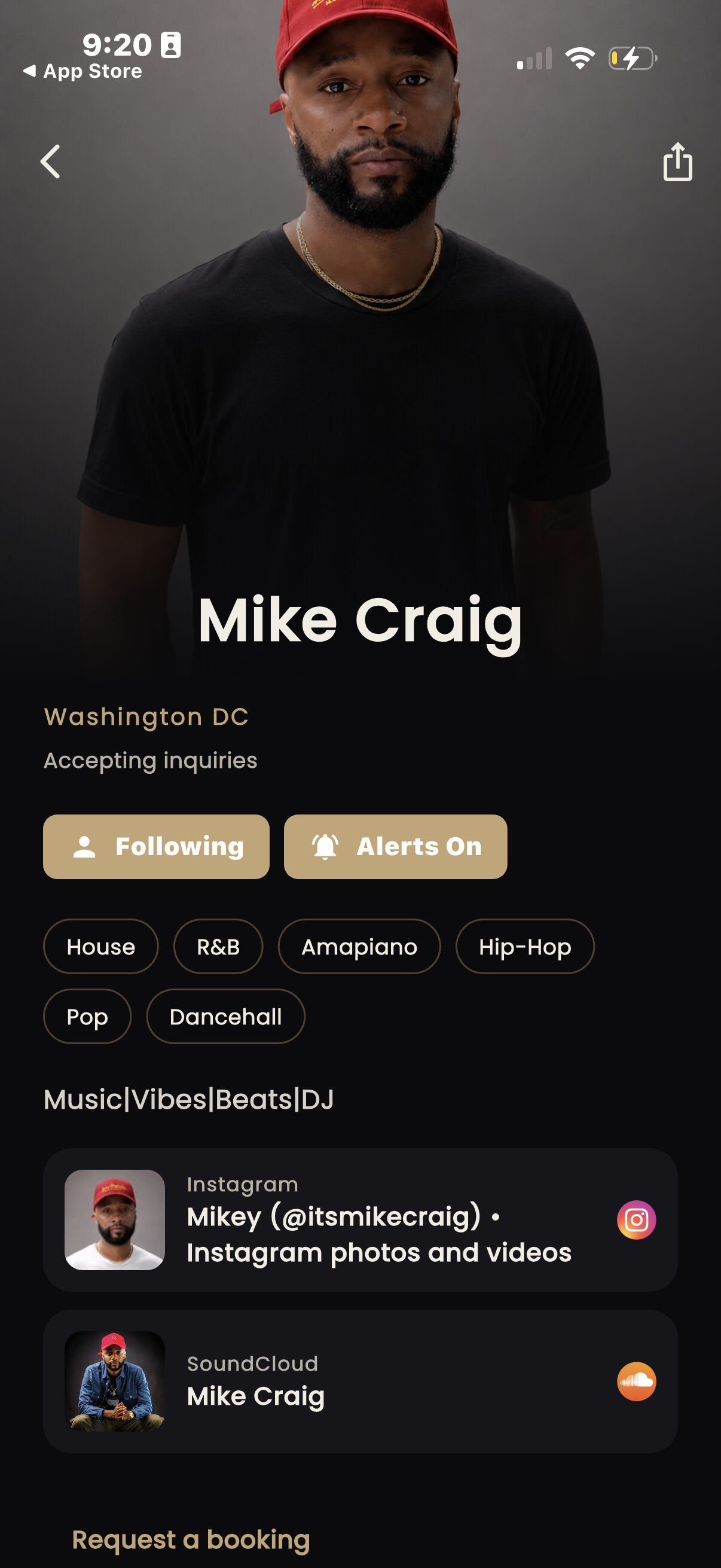
The screenshots show Washington, DC artists Mike Craig and STYLZZ, with genres ranging from House, R&B, and Hip-Hop to Amapiano, Pop, Dancehall, and Open Format. Those details give fans and event organizers a useful starting point when deciding whose sound to explore.
Follow your favorite DJs and explore their appearances
Find an artist you want to keep up with? DJ profiles in the Streets app include follow and alert controls, putting that connection directly on the artist’s page.
Profiles also include sections for upcoming and past appearances. When appearances are listed, you can see where an artist has played or what’s coming next. An empty upcoming section simply means there are no appearances listed there yet.
Listen through music links before you reach out
A genre tag helps describe a DJ. Hearing their music helps you understand the vibe. Profiles can include music and social links, such as the SoundCloud and Instagram links shown on Mike Craig’s page.
For fans, it’s an easy way to explore more from an artist. For venues, promoters, and event hosts, those links help you get a feel for a DJ’s style before starting a booking conversation.
How to request a DJ booking on Streets
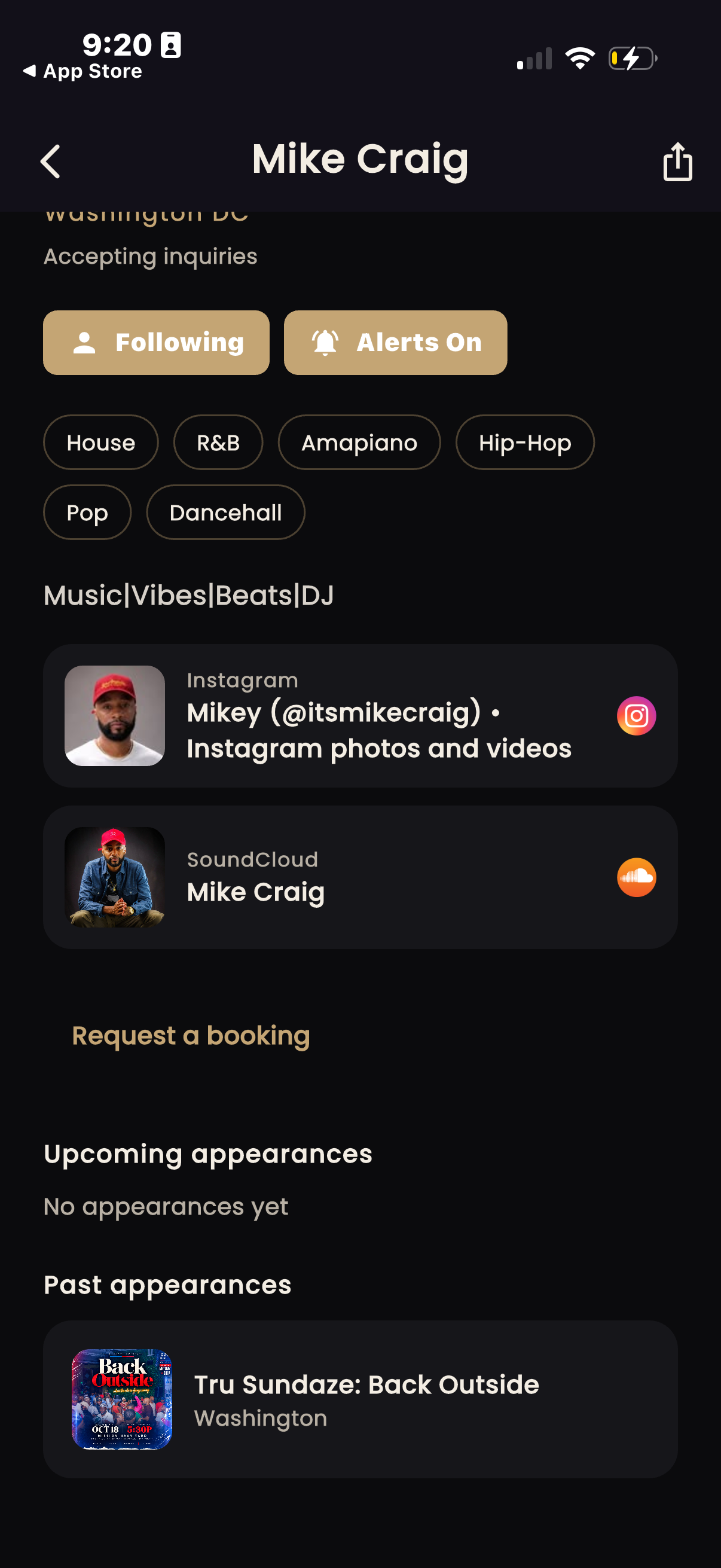
When a DJ is accepting inquiries, their profile includes a Request a booking option. The form brings the practical event details into one place so you can start with a clear request.
1. Check the DJ’s profile
Review the artist’s location, genres, music links, and inquiry status. Look for travel information too: a profile may indicate local-only bookings or a willingness to travel.
2. Add your event details
Open the booking form and provide your name, event type, event date and time, and expected duration. The form also includes location and budget fields, helping you give the DJ more context about what you’re planning.
3. Choose your contact details and send the inquiry
The form includes an email-sharing control with an explanation of how the DJ can use your email for the booking conversation. Review the contact information you’re sharing, check your event details, and select Send inquiry.
A booking inquiry starts the conversation. It does not confirm the DJ’s availability, agree a price, or reserve a date. Those details still need to be worked out with the artist.
Share a public DJ profile on the web
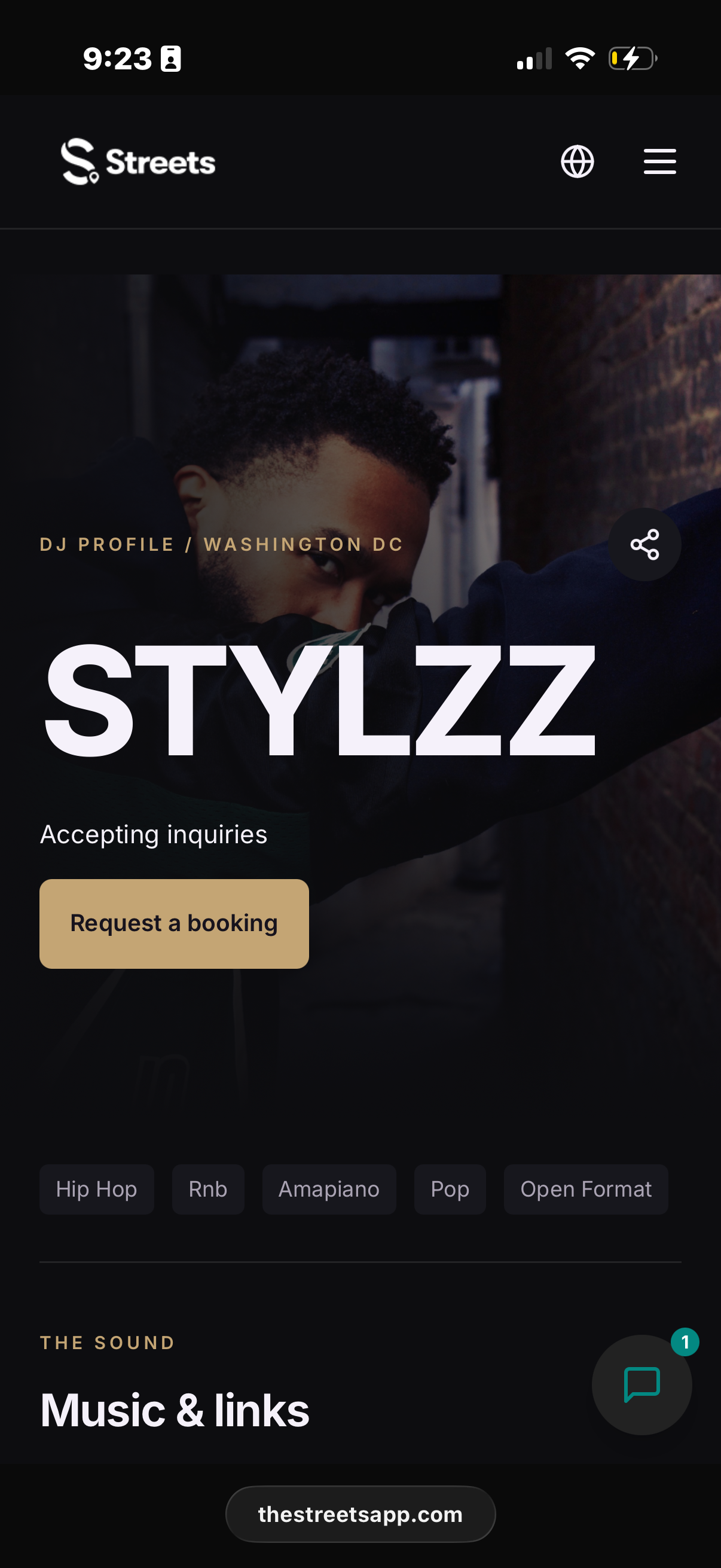
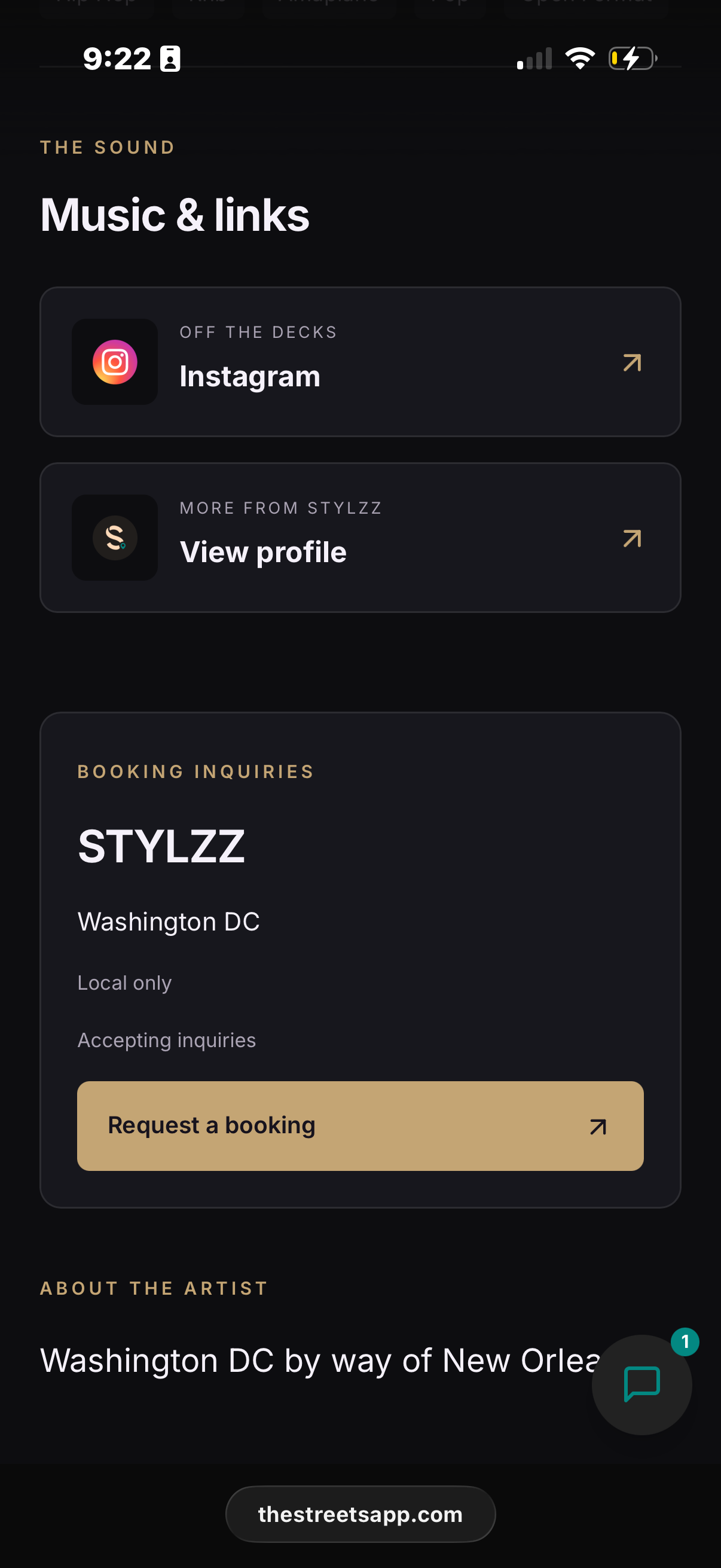
DJ discovery also extends to the web. The public profile shown for STYLZZ brings together an artist image, Washington, DC location, genre tags, music and social links, and a prominent booking inquiry button.
That gives DJs a page to share when someone asks about their sound or booking information. It also gives fans and event organizers a focused place to learn about the artist before reaching out.
The booking information section can show whether the artist is accepting inquiries and whether they work locally. Checking those details helps you make a request that fits the artist and your event.
Frequently asked questions about Streets DJ profiles
Can I find DJs in Washington, DC on Streets?
The profiles featured here show Washington, DC DJs Mike Craig and STYLZZ. Check each artist’s profile for their listed location, musical genres, and booking inquiry status.
Can I listen to a DJ’s music before sending an inquiry?
When an artist adds music links to their profile, you can follow those links to explore their sound. Mike Craig’s profile, for example, includes a SoundCloud link alongside Instagram.
Does “Accepting inquiries” mean a DJ is available on my date?
It means you can send a request. Availability for your event date, pricing, and the final booking arrangement need to be confirmed with the DJ.
Can I request a DJ who travels?
Check the artist’s travel information before submitting your inquiry. The screenshots show both local-only information and a booking form marked “Willing to travel,” so travel preferences can differ by artist.
Find your next favorite DJ on Streets
Start with the sound. Explore a profile, check the artist’s music links, follow the DJs you connect with, and send a booking inquiry when you’re ready to talk about an event.
Visit Streets to explore the app and discover more from the artists behind your next night out.



Leave a Reply